> ## Documentation Index
> Fetch the complete documentation index at: https://docs.pipevest.com/llms.txt
> Use this file to discover all available pages before exploring further.
# Assets Menu View
The assets menu view allows users to review and interact with the assets that they currently own.
 ### Accessing the Assets View
This request is made from the `Portfolio` menu view.
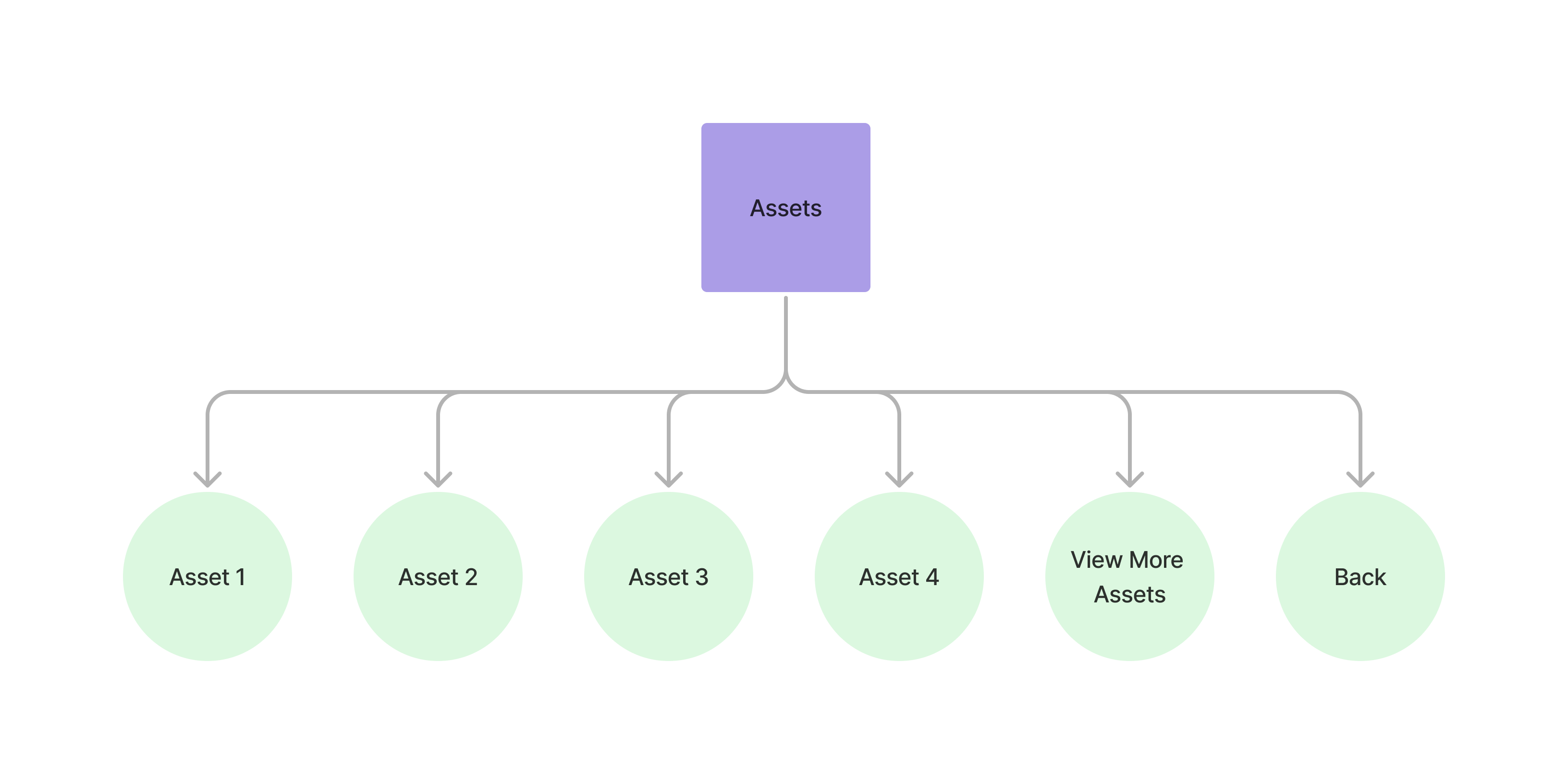
From here the customer can choose to view an individual asset or go back to the portfolio menu.
```bash theme={null}
curl --request POST \
--url https://api.staging.pipevest.com/v1/ussd/process
...
--data 'sessionId='
--data 'choice=1'
```
**Example Response**
```json theme={null}
{
"message": "USSD request processed successfully",
"data": {
"sessionId": "ussd_2231df057f1f8f5269f0a268249ac104",
"currentState": "VIEW_ASSETS",
"menu": {
"state": "VIEW_ASSETS",
"text": "My Assets:\n\nTotal: ZK1012.97\nChange: +1.12%\n\nSelect asset to view details:\n",
"options": [
{
"key": "1",
"label": "Apple Inc. - ZK592.45",
"nextState": "ASSET_DETAIL",
"data": {
"assetId": "cmhkp4jkw0005zxfok9m0kiwg",
"symbol": "AAPL",
"name": "Apple Inc."
}
},
{
"key": "2",
"label": "Tesla Inc. - ZK420.52",
"nextState": "ASSET_DETAIL",
"data": {
"assetId": "cmhkp4km20009zxfoyv85kkij",
"symbol": "TSLA",
"name": "Tesla Inc."
}
},
{
"key": "0",
"label": "Back to Portfolio",
"nextState": "MY_PORTFOLIO"
}
],
"isEndState": false
},
"ussdText": "My Assets:\n\nTotal: ZK1012.97\nChange: +1.12%\n\nSelect asset to view details:\n\n\n1. Apple Inc. - ZK592.45\n2. Tesla Inc. - ZK420.52\n0. Back to Portfolio",
"expiresAt": "2025-11-10T14:56:05.356Z"
}
}
```
#### Viewing individual asset
See the guide on [viewing an individual asset](/guides/ussd/individual-asset)
### Assets View Example
Check out an example of the ussd assets view
### Accessing the Assets View
This request is made from the `Portfolio` menu view.
From here the customer can choose to view an individual asset or go back to the portfolio menu.
```bash theme={null}
curl --request POST \
--url https://api.staging.pipevest.com/v1/ussd/process
...
--data 'sessionId='
--data 'choice=1'
```
**Example Response**
```json theme={null}
{
"message": "USSD request processed successfully",
"data": {
"sessionId": "ussd_2231df057f1f8f5269f0a268249ac104",
"currentState": "VIEW_ASSETS",
"menu": {
"state": "VIEW_ASSETS",
"text": "My Assets:\n\nTotal: ZK1012.97\nChange: +1.12%\n\nSelect asset to view details:\n",
"options": [
{
"key": "1",
"label": "Apple Inc. - ZK592.45",
"nextState": "ASSET_DETAIL",
"data": {
"assetId": "cmhkp4jkw0005zxfok9m0kiwg",
"symbol": "AAPL",
"name": "Apple Inc."
}
},
{
"key": "2",
"label": "Tesla Inc. - ZK420.52",
"nextState": "ASSET_DETAIL",
"data": {
"assetId": "cmhkp4km20009zxfoyv85kkij",
"symbol": "TSLA",
"name": "Tesla Inc."
}
},
{
"key": "0",
"label": "Back to Portfolio",
"nextState": "MY_PORTFOLIO"
}
],
"isEndState": false
},
"ussdText": "My Assets:\n\nTotal: ZK1012.97\nChange: +1.12%\n\nSelect asset to view details:\n\n\n1. Apple Inc. - ZK592.45\n2. Tesla Inc. - ZK420.52\n0. Back to Portfolio",
"expiresAt": "2025-11-10T14:56:05.356Z"
}
}
```
#### Viewing individual asset
See the guide on [viewing an individual asset](/guides/ussd/individual-asset)
### Assets View Example
Check out an example of the ussd assets view